A flat price, with no coin arithmetic
$9 for 6, $19 for 30, $39 for 100, $69 for 350. One photo costs one credit whatever style you choose, and credits never expire. There is no pack-size gamble to reach a good rate and no top-up mid-listing.
ByQian, founder of DoVirtualStagingPrices checked November 20, 2026
Disclosure: we sell one of the alternatives on this page. Apply Design is here because for some jobs it is the better tool — the section called “When Apply Design is the right call” names those jobs.
Apply Design is a self-serve staging tool with no subscription. You buy coins, spend 1.5 of them on an auto-staged 2D photo or 1 on the drag-and-drop DIY editor, and get the image back in minutes. Its first photo is free, furniture removal is included, and you can move individual pieces yourself. Those are real advantages.
The catch is arithmetic. Coins cost $10, $8 or $7 depending on how many you buy at once, so the advertised $7 rate needs a $140 pack. Six auto-staged photos need 9 coins — and the cheapest way to get them is a 10-coin pack at $80. Here, six photos are $9. Both sides of that comparison are on this page.
No account needed. No credit card.
Both are pay-as-you-go. The difference is that one sells coins and the other sells photos, which changes what a second style on the same room costs.
| Apply Design | DoVirtualStaging | |
|---|---|---|
| How you pay | Prepaid coins, no subscription | $9 once for 6 photosNeither is a subscription. Apply Design sells coins you top up; we sell packs you own once. |
| Coin price | $10 each (1–9) · $8 (10–19) · $7 (20+) | No coins — one price per pack |
| Cost of one 2D photo | Auto $15 / $12 / $10.50 · DIY $10 / $8 / $7 | $1.50 in the $9 packThree numbers are the three coin tiers, entry to bulk. Auto staging uses 1.5 coins; the drag-and-drop DIY editor uses 1. |
| Six-photo listing | $80 — 9 coins needed, cheapest is a 10-coin pack | $9You cannot buy 9 coins at the 1–9 rate and get a better deal: 10 coins at $8 each is $80, less than 9 at $10 each ($90). |
| Cheapest rate on their ladder | $7 a photo, but only with a 20-coin pack ($140) | $0.20 a photo with a $69 packSame trap as every volume tier: the attractive unit price has a cash gate in front of it. |
| Getting a different look | DIY tweaks free; re-generating from scratch costs coins again | 8 renders in 24 hours, any style, no extra credit |
| First image | Free, no credit card | Free preview, no account, no cardBoth let you test before paying. Their first image is a finished staged render; ours is a preview. |
| Clear furniture that is already there | Included in both Auto and DIY | Not offered — empty rooms onlyA real win for them. If the room is occupied, use a tool that removes furniture. |
| Leftover credits | Not documented on their pricing page | Never expire |
Apply Design figures are from its pricing page, homepage and virtual staging page, read November 20, 2026. The coin-per-image counts (1.5 auto, 1 DIY) and the 15-minute figure are stated on their own pricing page. The three coin-tier prices ($10 / $8 / $7) come from published third-party breakdowns of their coin pricing, last checked November 16, 2026 — we could not read the tier prices on applydesign.io directly, so they are attributed to that source rather than to the vendor. Our figures are the four packs on our pricing page. A 2D photo is assumed; a 360° panorama costs 2.5 coins auto or 2 DIY. To price your own count, use the cost calculator.
$7 is a real price — for one DIY coin, bought twenty at a time. At that tier you spend $140 up front. At the entry tier, one auto-staged photo is $15. Both are printed above because showing only the first would be the same trick used by every volume-pricing page: quoting the unit price and hiding the cash outlay needed to reach it.
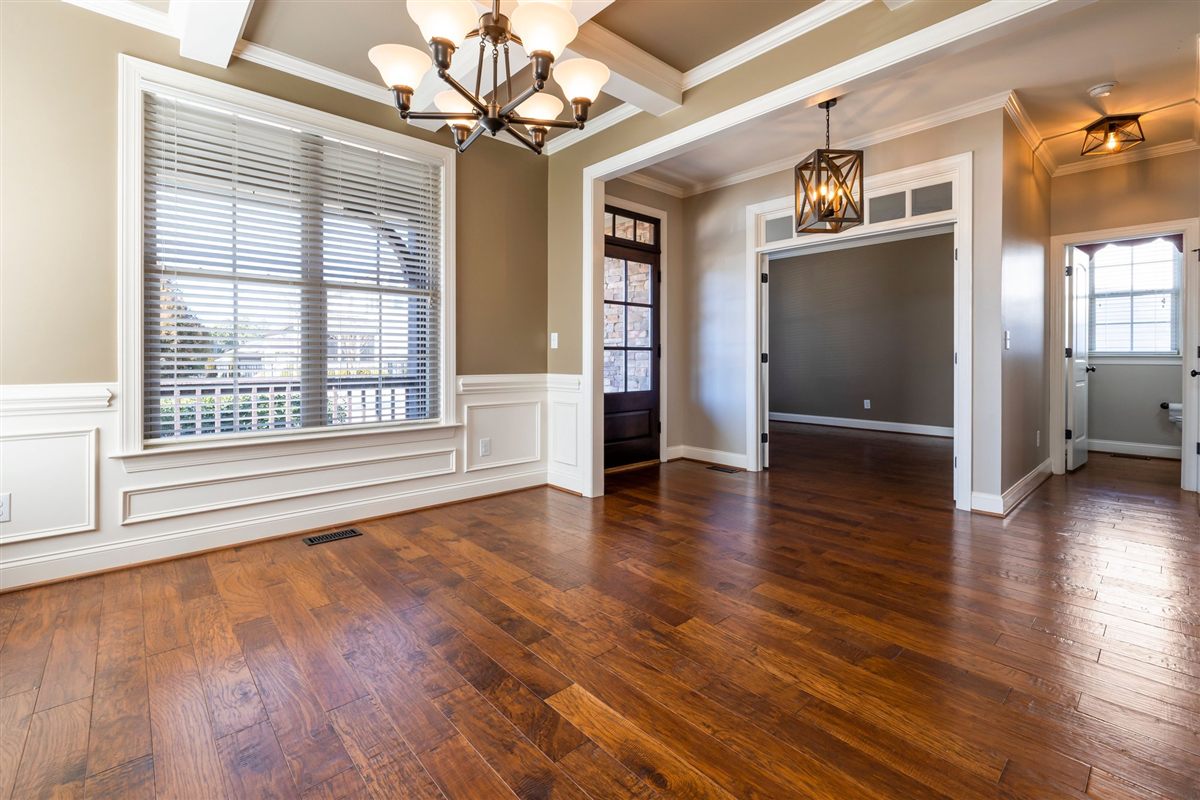
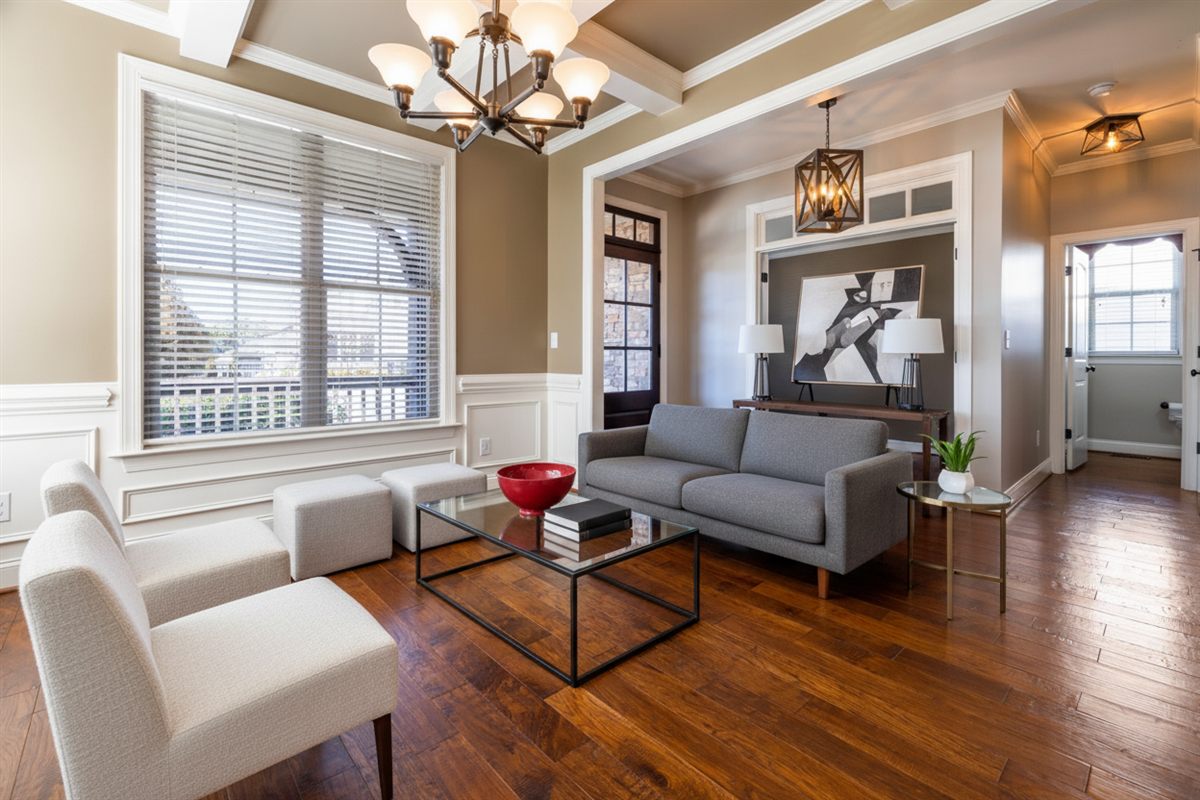
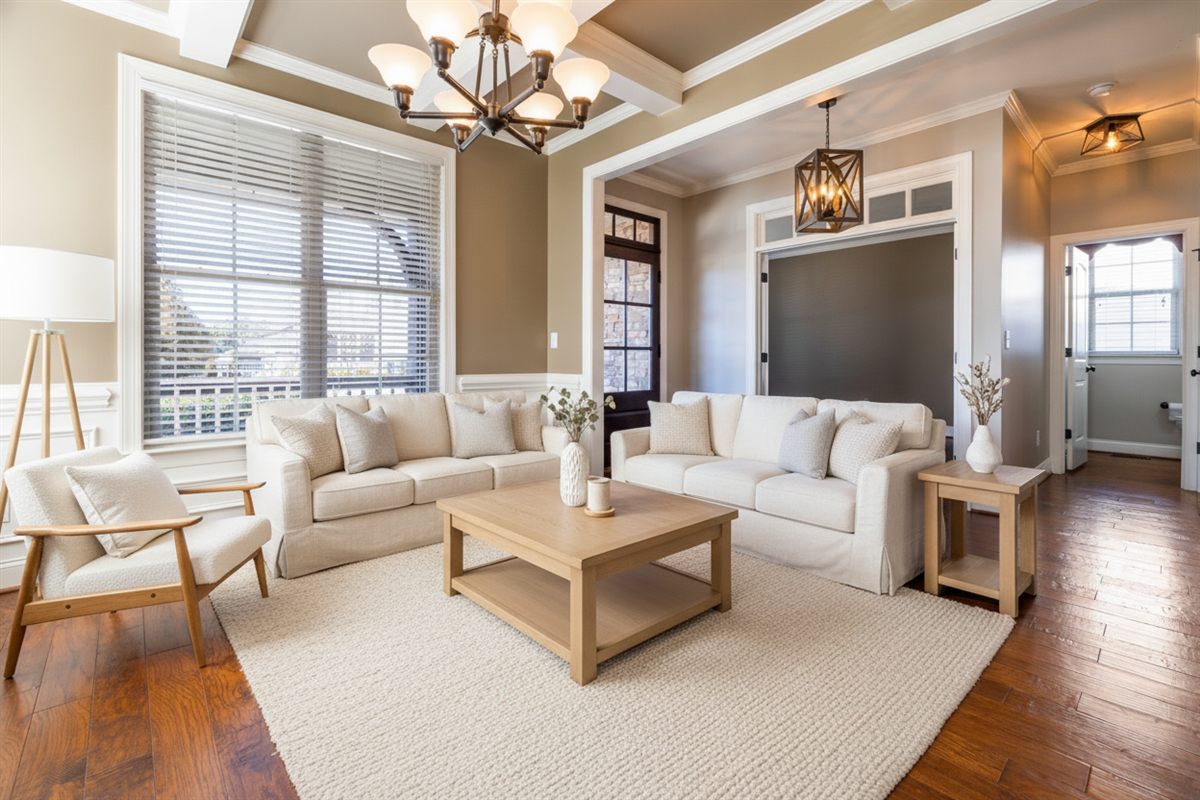
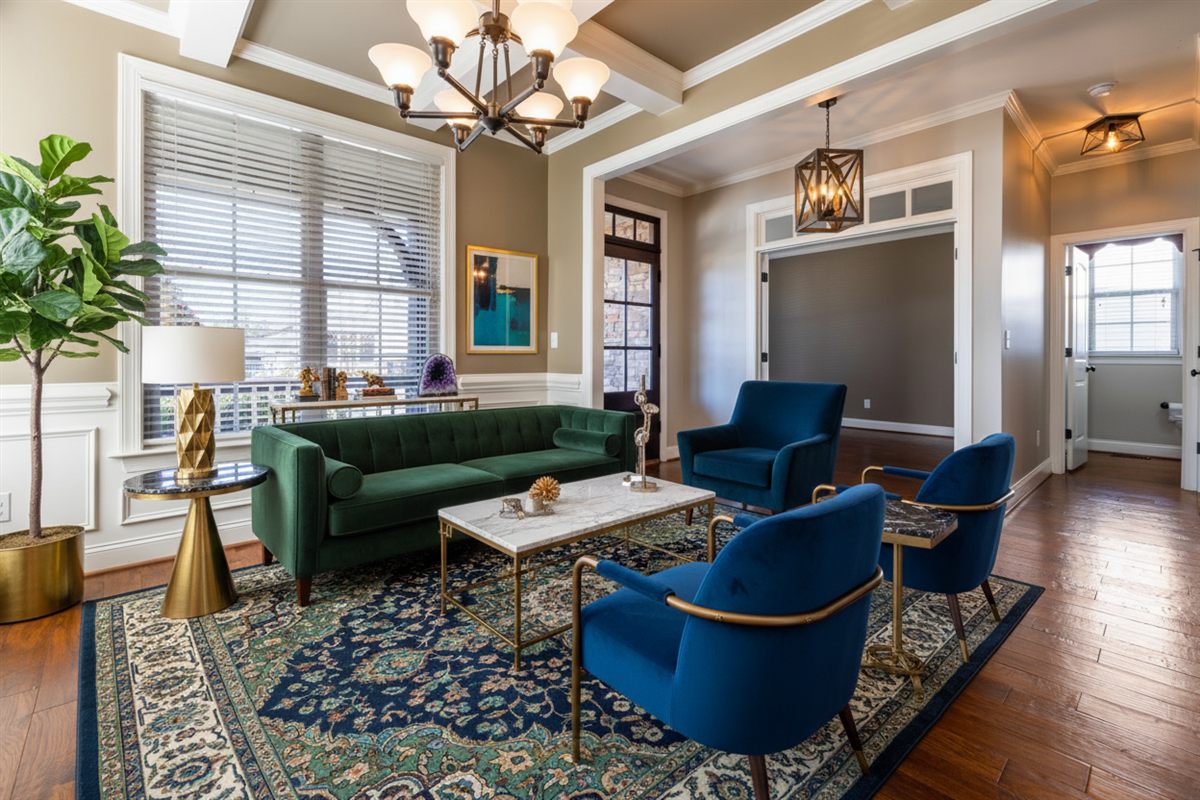
Four real outputs from this tool on the $9 pack. On a coin-based service each different look would be a fresh generation and another charge.
Apply Design’s own pages give three different turnaround figures. All three are below, not just the shortest one.
| Apply Design | DoVirtualStaging | |
|---|---|---|
| Output resolution | Not documented on applydesign.io | 1,248 × 832 px (1.04 MP) standard, or 4,992 × 3,328 via the 4K export |
| Turnaround | Their pages say three things: 10 min (home), 15 min (pricing), “a few minutes” (virtual staging FAQ) | No turnaround promise published. Preview appears in the browser before you pay. |
| Who does the work | AI auto-staging, plus a drag-and-drop editor you can take over | AI only — you pick one of seven styles |
| Control over placement | Move, swap or restyle individual pieces yourself, free and instant | Re-render the whole room in another style; you cannot drag a single chair |
| Revision cost | DIY edits free; a fresh generation costs 1.5 coins (2D auto) | Up to 8 renders in 24 hours, style changes free |
| MLS disclosure help | Not documented on their own pages | A clean file, a labeled file, and a .txt record of what was altered |
“Not documented” means we could not find the figure on the vendor’s own site and will not import a third party’s guess. Our standard file is 1,248 × 832 — enough for MLS display — and the download menu adds a 4K export at 4,992 × 3,328 that is that same render enlarged, not a larger generation. Ask any vendor for dimensions before buying.
Four differences you can count, not a feature checklist.
$9 for 6, $19 for 30, $39 for 100, $69 for 350. One photo costs one credit whatever style you choose, and credits never expire. There is no pack-size gamble to reach a good rate and no top-up mid-listing.
Within 24 hours of the first render you can re-render the same photo up to 8 times in any style at no extra cost. On Apply Design, a genuinely different room is a fresh generation and 1.5 coins again; only small drag-and-drop tweaks are free.
You get a clean file, a labeled copy worded for your board, and a .txt record listing the delivered files and what was altered. We could not find a disclosure label documented on Apply Design’s own pages. Which board wants the wording on the photo and which bans overlaid text is spelled out in our disclosure guide.
Walls, windows and doors stay exactly as photographed — nothing moved, resized or removed. Furniture is the only thing that changes, which is the line most MLS boards draw between staging and misrepresentation.
Both tools will show you their best work. Upload your own empty room here and see a preview in the browser before you pay for coins or a pack.
Preview your own photo — free$9 for 6 photos. Pay once.
It sells prepaid coins, not a plan. Published breakdowns list coins at $10 each for 1–9, $8 for 10–19 and $7 for 20+, last checked November 16, 2026 (their own pricing page shows the coin-per-image counts but not the tier prices). A 2D auto-staged image uses 1.5 coins, so it costs $15 at the entry tier and $10.50 at the 20-coin tier. The drag-and-drop DIY route uses 1 coin, so $10 down to $7. Their homepage advertises “as low as $10.5 per image”, which is the auto rate at the top tier.
It is worth it if you want hands-on control: the drag-and-drop editor lets you move individual furniture for free, furniture removal is included, and it handles 360° panoramas and multi-angle consistency. It is harder to justify if you want a flat per-photo price without coin arithmetic — six auto-staged photos need 9 coins, and the cheapest way to buy them is a 10-coin pack at $80, against $9 here.
DoVirtualStaging is $9 for 6 photos ($1.50 each), $39 for 100 ($0.39) and $69 for 350 ($0.20), with no coins and no top-up. Each photo gets up to 8 renders in 24 hours in any style at no extra cost. The trade-off: we do not offer furniture removal, a drag-and-drop editor, 360° staging or multi-angle consistency, and our file is 1,248 × 832 px.
Its own pages are not consistent: the homepage says 10 minutes per image, the pricing page says a 15-minute turnaround, and the virtual staging FAQ says “a few minutes”. We print all three rather than pick the shortest. We publish no turnaround promise at all — you see a preview in the browser before paying, and a paid render can take a minute or two.
We could not find an output resolution stated on applydesign.io, so it is recorded as Not documented. Our paid download is 1,248 × 832 px, enough for MLS and portal display; the download menu can also export 4K at 4,992 × 3,328, which is that render enlarged rather than a larger generation. Ask any vendor for the file dimensions before you buy.
Yes — both Auto and DIY include removing the existing furniture in the same upload, with no separate decluttering fee. DoVirtualStaging does not offer removal. If your room is occupied, Apply Design is the better fit for that photo.
Hands-on edits in the drag-and-drop editor are free and unlimited: move, swap or restyle pieces yourself. Asking for a genuinely different room is a fresh generation and costs coins again — 1.5 for a 2D auto render. Here, any style change inside the 24-hour window is one of your 8 renders, at no extra cost.
On most US and Canadian MLSs, yes, and boards differ on where the wording goes. We could not find a disclosure label documented on Apply Design's own pages. Every image here ships clean and labeled, with a .txt record of what was altered. Keep the original and check your board's rule before publishing, whichever tool you use.
Figures on this page were read from Apply Design’s own pages on November 20, 2026 and will change. Confirm against the vendor before buying. For the wider field see best virtual staging software compared by how you pay. See also our terms and acceptable use policy.